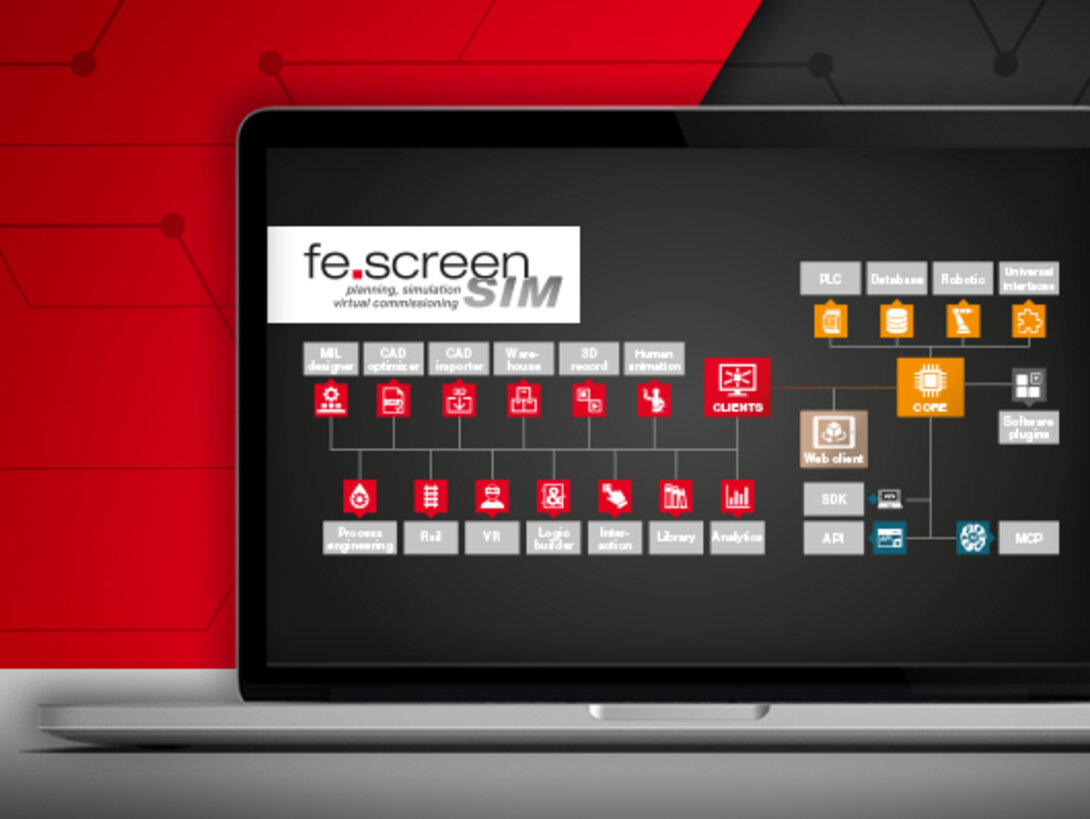
Software structure – Software expansion interfaces
Thanks to its modular structure and associated interfaces, the software can be expanded independently and thus adapted to specific requirements and company-specific needs. This is made possible by an SDK and an API for implementing your own functionalities and interfaces. Examples of custom simulation objects (ScenObjects), custom interfaces (TCP patterns), and custom plugin modules (menu and function extensions) are included. In addition, fe.screen-sim can be connected directly to AI systems via the MCP interface to enable intelligent and automated engineering processes.
SDK
The Software Development Kit (SDK) is fully included in the fe.screen-sim license and enables the development of custom extensions directly based on fe.screen-sim. The SDK can be used to implement custom interfaces, additional functions, and new simulation objects. In addition, it can be used to implement custom interfaces to third-party systems such as PLC, robot, or ERP systems. The SDK thus offers maximum flexibility for the functional expansion of the simulation environment. The fe.screen-sim development team also uses the same SDK basis for software extensions, ensuring a consistently consistent and powerful extension architecture.
API
fe.screen-sim provides two powerful programming interfaces (APIs – Application Programming Interfaces), a .NET API as a DLL and a gRPC API, which external applications can use to communicate directly with the core across networks. This enables the development of custom plugins, tools, and integrations in a wide variety of software environments. On this basis, for example, standalone generation or automation tools can be developed that create simulation models, exchange data, or trigger specific actions in fe.screen-sim. Recurring processes can thus be automated and development processes significantly accelerated.
MCP

With the MCP (Model Context Protocol) interface, fe.screen-sim is one of the first virtual commissioning tools to enable direct connection to AI systems such as ChatGPT, Claude, n8n, or Cursor. This allows simulations to be not only generated automatically, but also intelligently controlled, analyzed and optimized. The MCP interface also facilitates troubleshooting and enables an extended help function. All features of fe.screen-sim V5 are available via MCP, making the simulation tool a true part of the AI-supported engineering environment and significantly increasing efficiency in digital engineering.




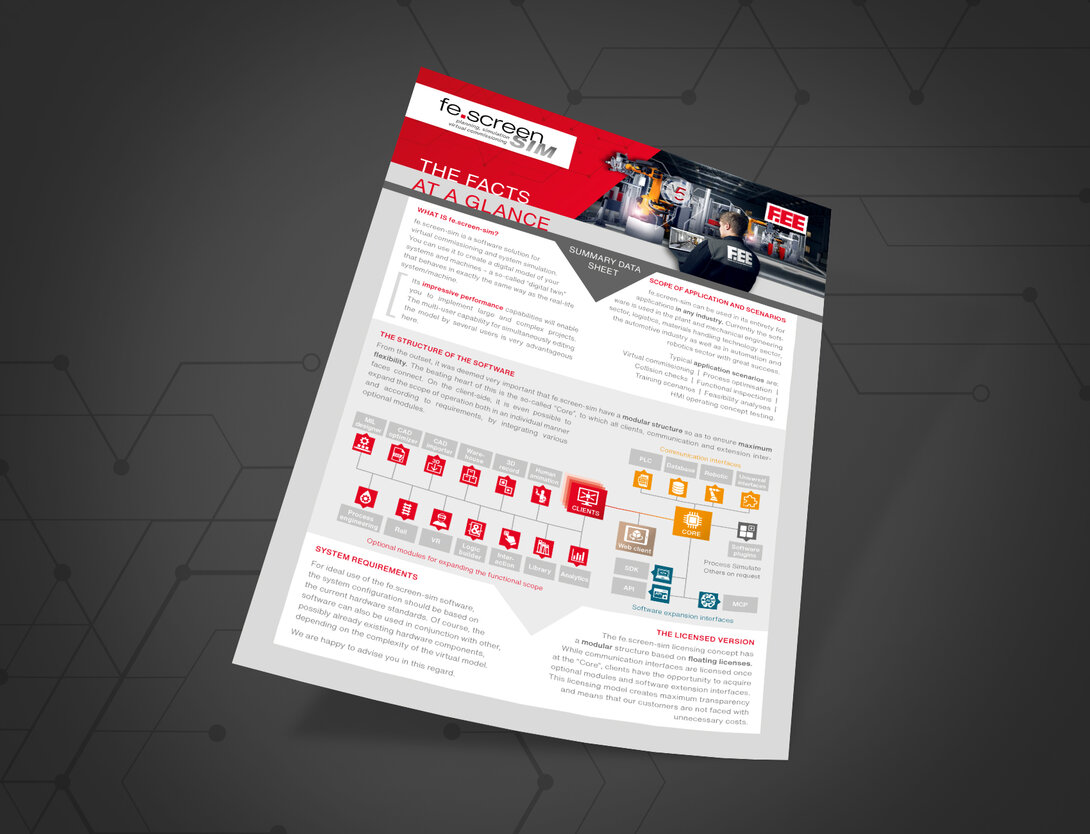
The structure of the virtual commissioning software at a glance
You can find an overview of all information on the structure of the virtual commissioning software and the optional expansion options here.



Your personal contact person – for more clearness
You are a project or department manager and are faced with the question of how to set up a digital twin for your project? We would be happy to talk to you personally about your requirements, the time frame, the possible project approach and give you an initial cost estimate.